Dive computer: how to choose one, criteria and models
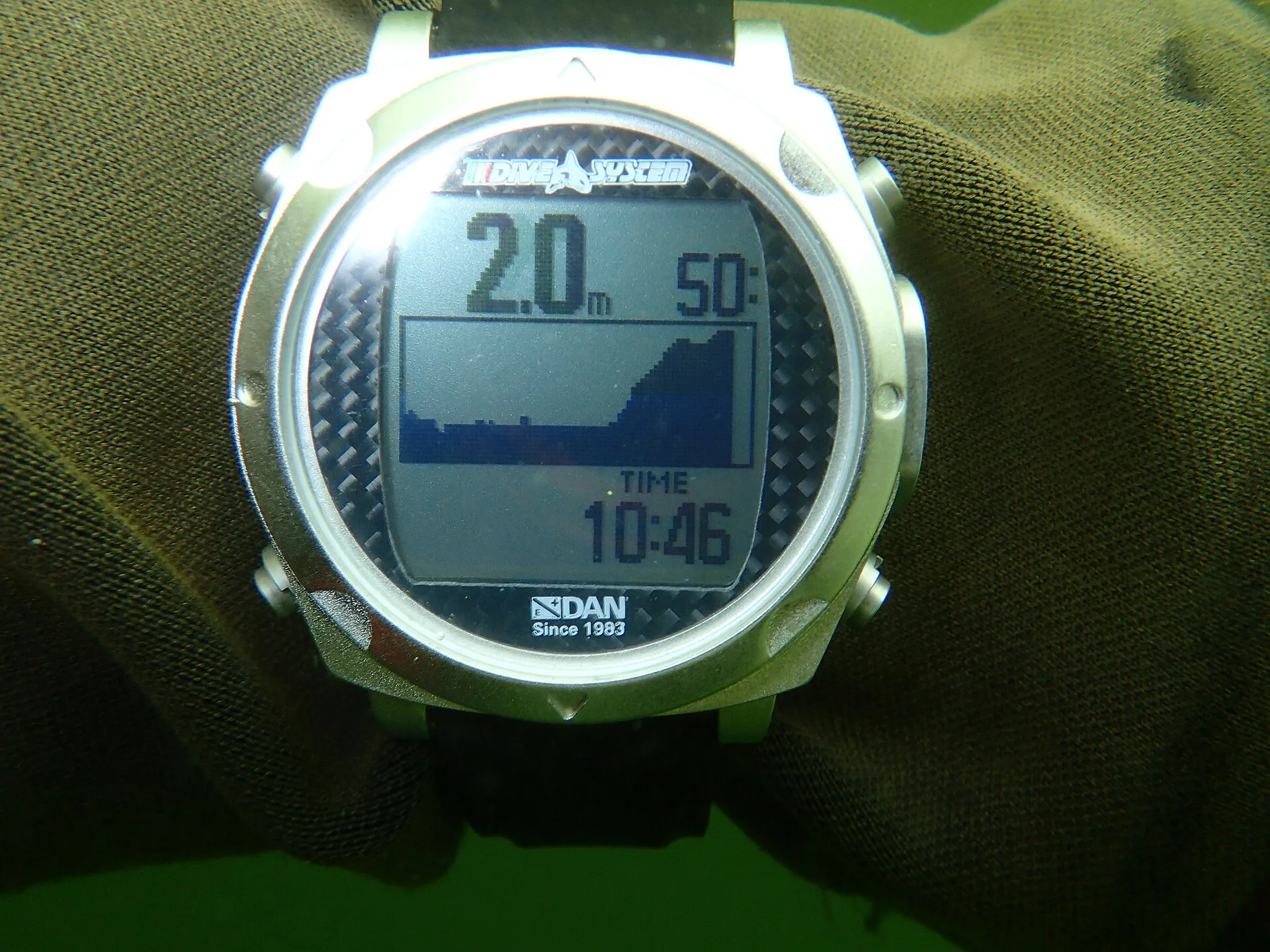
This page gives you an order of questions, then reference points on models and prices. The criteria rely on DAN for the medical side, on PADI and SSI for use, and on the manufacturers’ data sheets for the specifications. All these sources were read again on 2 November 2026, the Garmin guide and the Descent X30 manual again on 5 November 2026, and the prices on 7 November 2026.
What a dive computer is for, and what it does not do
A dive computer measures depth and time, then applies them to a decompression model to track the nitrogen dissolved in your body. That is PADI’s definition. It combines a depth gauge, a watch and sometimes a pressure gauge.
PADI lists its basic functions: no-decompression limit, depth, time, remaining no-decompression time, ascent rate, emergency decompression, data from the previous dive, low-battery alert and compatibility with enriched air (nitrox).
What it does not do, according to DAN:
- It guarantees nothing. A mathematical model predicts a result without guaranteeing it. A dive made within the computer’s limits can still cause decompression sickness.
- It does not know you. It ignores your health, your physical fitness and your personal susceptibility to decompression. DAN sums it up this way: the models describe an average diver, not you.
- It measures neither the cold nor effort. The device displays the water temperature, but it does not know whether you wear swimwear or a drysuit. Some track air consumption, but nobody yet knows how to build that usefully into the decompression calculation.
Do you need a computer when you start, and should you buy one straight away?
No, not straight away. During the course, first ask the centre or club what it provides. Our survey of course prices, computer rental included, shows that this changes from one centre to another.
PADI advises choosing with the help of a diving professional, starting from two questions: what type of diving will you do, now and later? And which device goes with your current equipment? You will answer better after a few dives than before the first. If you have not started yet, first read the steps to start scuba diving.
What does the law say? In France, in establishments that organise diving, the Sports Code (article A322-80) requires in natural waters, for each autonomous diver and each supervised diver beyond 20 m, “equipment allowing them to monitor the personal characteristics of their dive and their ascent”. The text does not name the computer. The person supervising the group must also have the means to monitor the group’s dive, and the establishment must have, in natural waters beyond 6 m, a set of decompression tables (article A322-78). A club or an operator may nevertheless require one. In Thailand, Khao Lak Scuba Adventures requires a computer for all divers on its Manta Queen 1 liveaboard, and rents it for 1,000 THB per trip (page read on 2 November 2026).
Six criteria for choosing, in the order to ask the questions
This order is an editorial choice: it is the order in which we advise you to ask the questions, not a ranking of importance valid for everyone. DAN covers the first criterion, the depth-gauge mode of the second and part of the last. The others rely on PADI, SSI and the manufacturers’ data sheets.
1. The decompression algorithm and how conservative it is
According to DAN, there is no universal standard: computers use many mathematical models, and a single manufacturer can use several. These models range from the most conservative to the most permissive. Some are conservative on the first dive and more permissive on the following ones.
DAN draws three pieces of advice from this:
- Find out about the model before buying, to choose a device compatible with your own risk tolerance. Choosing it only because you know it is not the best strategy.
- Dive with buddies whose computer and settings are close to yours. If the differences are modest, the group follows the most conservative device without trouble. If the models are very different and everyone follows their own, the group risks splitting up.
- If you want to worry less, choose a very conservative model.
On the data sheet, look for the official name of the algorithm. In our table, six models out of seven state a Bühlmann algorithm with gradient factors (ZHL-16C, or “Bühlmann 16 GF” at Suunto), and Cressi states its Cressi RGBM algorithm. The same name does not give the same result: DAN stresses the differences between devices set differently.
Gradient factors and conservatism levels are settings. SSI devotes a speciality, Computer Diving, to configuring the device and its settings. Do not change them without training, and never to gain time at depth.
2. Gases and modes: air, nitrox, depth gauge
PADI lists compatibility with enriched air among the basic functions, and SSI considers it indispensable for diving with nitrox (SSI belongs to the same group as Mares, HEAD; we do not take up the models its guide puts forward). All seven models in our table offer it, including the cheapest ones. Nitrox is learned in a speciality course, for example Enriched Air Diver at PADI. Before each nitrox dive, set the computer to the oxygen percentage of your mix (SSI).
Managing several mixes and rebreather mode belong to technical diving: PADI classes them among the optional functions. You do not need them to dive on air or nitrox recreationally.
Depth-gauge mode turns the computer into a simple depth and time recorder. DAN is clear: in that case, you plan all your dives with tables. And you cannot return to the computer’s calculations in the middle of a series if it has not recorded all your dives. Only use this mode if you learned to dive with tables.
3. Readability
PADI puts the question simply: can you read the data with your mask on your face? Do you prefer numbers, or graphics? Think about your close-up vision and the light underwater. SSI considers the backlight indispensable in low light or poor visibility.
The screen size appears on the data sheet. Examples surveyed: 1.2 inches in diameter for the Garmin Descent G2, 2.2 inches for the Shearwater Peregrine, 2.4 inches for the Garmin Descent X30. SSI notes that console models, with a larger screen, are easier to read.
4. Ease of use
PADI asks whether you understand how to get the information you need. Count the buttons: one on the Mares Puck Lite and the Cressi Donatello, two on the Shearwater Peregrine. The right number depends on you: try the device.
In every case, read the manual before the first dive. PADI advises pressing all the buttons and setting the time, date, units and water type (fresh or salt).
5. Battery, charging and maintenance
Two families, according to PADI: disposable batteries and rechargeable batteries. What the data sheets say:
- Battery you change yourself. The Mares Puck Lite uses a CR 2450 battery that you replace yourself; Mares states up to 100 dives per battery. The Cressi Donatello also has a user-replaceable battery.
- Rechargeable battery. Shearwater states about 30 hours per charge for the Peregrine, at medium brightness. Garmin states up to 27 hours in dive mode for the Descent G2, and 30 hours for the X30 at default brightness. Mares states 20 hours for the Quad Ci with a transmitter, 30 hours without.
- Ageing battery. Shearwater specifies that the Peregrine’s battery generally lasts several years, slowly loses capacity, and is replaced at an approved service centre.
Before a trip, SSI advises taking spare batteries or a backup solution, and keeping the firmware up to date.
For maintenance, PADI advises rinsing the computer in fresh water as soon as possible after each dive, keeping it away from direct sunlight and knocks, and storing it cool and dry. Change or recharge the battery as the manufacturer recommends. For servicing, follow your model’s manual: the data sheets we read give no interval. After a long break, see computer battery and servicing.
6. Format and extra functions
Several formats coexist: the watch, the wrist computer and the console computer. SSI describes wrist models as compact, and console models, attached to the regulator, as having a larger screen. Garmin, for its part, distinguishes the watch format (Descent G2, Mk3) from the large format (Descent X30, X50i). In the large format, the Descent X30 manual describes a device operated by four buttons, without a touchscreen, and only the X50i is presented as touch-sensitive. Yet the Garmin guide of 13 July 2026 lists the X30 among its computers “with a touchscreen”: check on the device before buying. The Descent G2 has a touchscreen that can be used at the surface (Garmin guide).
Extra functions are useful depending on how you dive, never compulsory. PADI mentions the built-in pressure gauge, connected by a hose or by a wireless transmitter, the electronic compass, the altitude setting and the transfer of the logbook to a computer (PADI), or even to a phone by Bluetooth on most models in the table (manufacturers’ data sheets). A transmitter costs extra: the Mares Quad Ci pack with a transmitter cost €699 at Subchandlers, against €449 without (7 November 2026).
Finally, check the maximum depth stated by the manufacturer. It must clearly exceed the depth your certification allows.
Watch or dive computer?
A certified dive watch does both: it serves in daily life and calculates your decompression underwater. A dedicated computer is only for diving, and often has a larger screen.
According to the Garmin guide of 13 July 2026 and, for the Descent G2, its product page:
| Garmin model | Format | Stated depth |
|---|---|---|
| fēnix 8, fēnix 8 Pro, tactix 8, quatix 8 | multisport watch certified for diving | 40 m |
| Descent G2 | dive watch | 100 m |
| Descent Mk3 | dive watch | 200 m |
| Descent X50i | large format, touchscreen | 200 m |
At Suunto, the Suunto Ocean presents itself as a dive computer and a sports watch in a single product. Suunto states a working depth of 60 m (EN 13319 standard) and a rechargeable battery.
A watch spends the day on your wrist, and its everyday battery life says nothing about its battery life while diving. Garmin states for the Descent G2 up to 10 days in smartwatch mode, but up to 27 hours in dive mode: read both lines of the data sheet. We do not cover here the mainstream smartwatches that dive thanks to a third-party app: we could not read an up-to-date official page on this point.
Garmin Descent G2, Mk3, Mk3i, X30, X50i: who are they for?
Garmin itself states the audience for each model in its guide of 13 July 2026, read again on 5 November 2026. This is the manufacturer’s presentation, not our recommendation.
| Garmin model | Target audience, according to Garmin |
|---|---|
| Descent G2 | beginner divers and recreational divers |
| Descent Mk3 | experienced divers looking for advanced dive features |
| Descent Mk3i | experienced technical divers; with the Descent T2 pressure transmitters, tracking of the pressure of 8 cylinders |
| Descent X30 | keen recreational divers who want an easy-to-read computer and do not need all the most advanced features |
| Descent X50i | experienced recreational divers or technical divers |
The Descent G1 does not appear in this guide: we say nothing about it. A brand’s target audience does not replace the six criteria above, nor your instructor’s advice.
Which profile, which criteria first
| Your profile | Criteria to look at first | Pitfalls | Rent rather than buy? |
|---|---|---|---|
| Level 1, or in training | readability with the mask, simplicity, nitrox possible | buying before having dived with a computer; choosing on a friend’s brand | yes, as long as you do not know what kind of diving you will do: ask the centre |
| Level 2 and above | algorithm and settings close to those of your buddies; nitrox; stated depth | changing gradient factors without training; paying for technical functions (multigas, trimix) you have no use for | occasionally, to compare before buying |
| Travel or liveaboard | battery and charging on board, spare batteries, nitrox, delay before flying | leaving without a charger or battery; finding out on site that the operator requires a computer | possible, if the operator rents them: check the price before leaving |
On a liveaboard, the dives follow one another. On the author’s liveaboard trip to the Similan Islands in December 2025, the whiteboard on the third day scheduled five dives, numbered 9 to 13. Check that your battery lasts a whole day, or that you can recharge on board. For the rest, read how to choose your diving liveaboard: safety, boat, itinerary, which also details the delay before flying. To put figures on rental, see the budget of a diving liveaboard, equipment rental included.
Reference points on models and prices (surveyed on 7 November 2026)
This table is neither a ranking nor a selection of “bests”. We kept one model per format and per price range among those cited by the most visible pages on the query. No brand pays us, and no link is affiliate.
Examples by format, brands in alphabetical order
| Model | Format | Gases and modes | Battery (manufacturer’s data sheet) | Algorithm (official name) | Price surveyed |
|---|---|---|---|---|---|
| Cressi Donatello | wrist | air, nitrox (one mix), depth gauge, freediving | user-replaceable battery; battery life not stated on the data sheet | Cressi RGBM | €199 |
| Garmin Descent G2 | watch | single gas, multigas, nitrox, trimix, depth gauge, freediving | rechargeable; up to 27 h in dive mode | Bühlmann ZHL-16c with gradient factors | €649.99 |
| Garmin Descent X30 | large format, 2.4-inch colour screen, buttons | single gas, multigas, nitrox, trimix, depth gauge | rechargeable (lithium-ion); 30 h at default brightness | Bühlmann ZHL-16c with gradient factors | €749.99 |
| Mares Puck Lite | wrist | air, nitrox from 21 to 50% (one mix) | CR 2450 battery changed by you; up to 100 dives | Bühlmann ZH-L16C, two gradient factor settings | €189 |
| Mares Quad Ci | wrist, colour screen, optional transmitter | air, nitrox from 21 to 99%, trimix, depth gauge (bottom timer) | rechargeable; 30 h without transmitter, 20 h with | Bühlmann ZH-L16C with adjustable gradient factors | €449 without transmitter |
| Shearwater Peregrine | wrist, 2.2-inch colour screen | air, nitrox, 3 nitrox, depth gauge | wireless rechargeable; about 30 h; replaced at an approved service centre | Bühlmann ZHL-16C with gradient factors | €528 |
| Suunto Ocean | watch | air, nitrox, multigas, freediving | rechargeable; up to 4 days at 3 dives a day | Bühlmann 16 GF Suunto | €799 |
How to read the prices:
- Where. One survey per model, at Subchandlers. Of the two specialist shops surveyed on 2 November 2026, it is the only one whose prices were still readable on 7 November 2026: the Bubble Diving pages no longer open, and we ruled out its prices. Other shops show other prices: compare before you buy. Subchandlers is cited as a source of prices, not recommended.
- Detail. Prices including VAT displayed on 7 November 2026. Subchandlers shows a recommended price for four models: €249.99 (Cressi Donatello), €229 (Mares Puck Lite), €499 (Mares Quad Ci) and €630 (Shearwater Peregrine).
- Limits. Prices move with promotions. The official Cressi and Garmin shops were not readable on 7 November 2026, and the Mares, Shearwater and Suunto data sheets showed no readable price in euros. Check the price again on the day of purchase.
New, second-hand or rental
New. To pay less, look at the entry level first: the two cheapest models in the table already handle nitrox. Do not skimp on readability or battery to save money. See also how to spot a real promotion on a dive computer.
Second-hand. Before buying:
- identify the exact model and download its manual from the manufacturer (Mares, for example, offers it on the Puck Lite product page);
- check the battery type: the Puck Lite’s battery is changed by yourself, the Peregrine’s battery is replaced only at an approved service centre, and it loses capacity over the years;
- check that the firmware can still be updated: Mares states updates through its app for the Puck Lite, and Shearwater an upgradeable firmware for the Peregrine;
- if in doubt about the case, the screen or the watertightness, have the device checked at an approved service centre before the first dive.
Rental. This is the right option to try one out, or for a one-off trip. Ask the centre or operator what it rents, and at what price. Example surveyed: 1,000 THB per trip on the Manta Queen 1 of Khao Lak Scuba Adventures. For the order of your purchases, read scuba gear for beginners: where to start, buy or rent.
Using your computer well after buying it
PADI’s and SSI’s instructions converge:
- Before the first dive: read the manual, set the date, time, units and water type.
- Before each dive: check the battery, the dive mode, the mix and the depth and time alarms.
- During: watch the remaining no-decompression time, the depth and the ascent rate. React to the alarms and make the safety stop (3 minutes at 5 m, according to SSI).
- After: rinse the device in fresh water, store it cool and dry.
See also these two points: tracking your air consumption, and computer battery and flying.
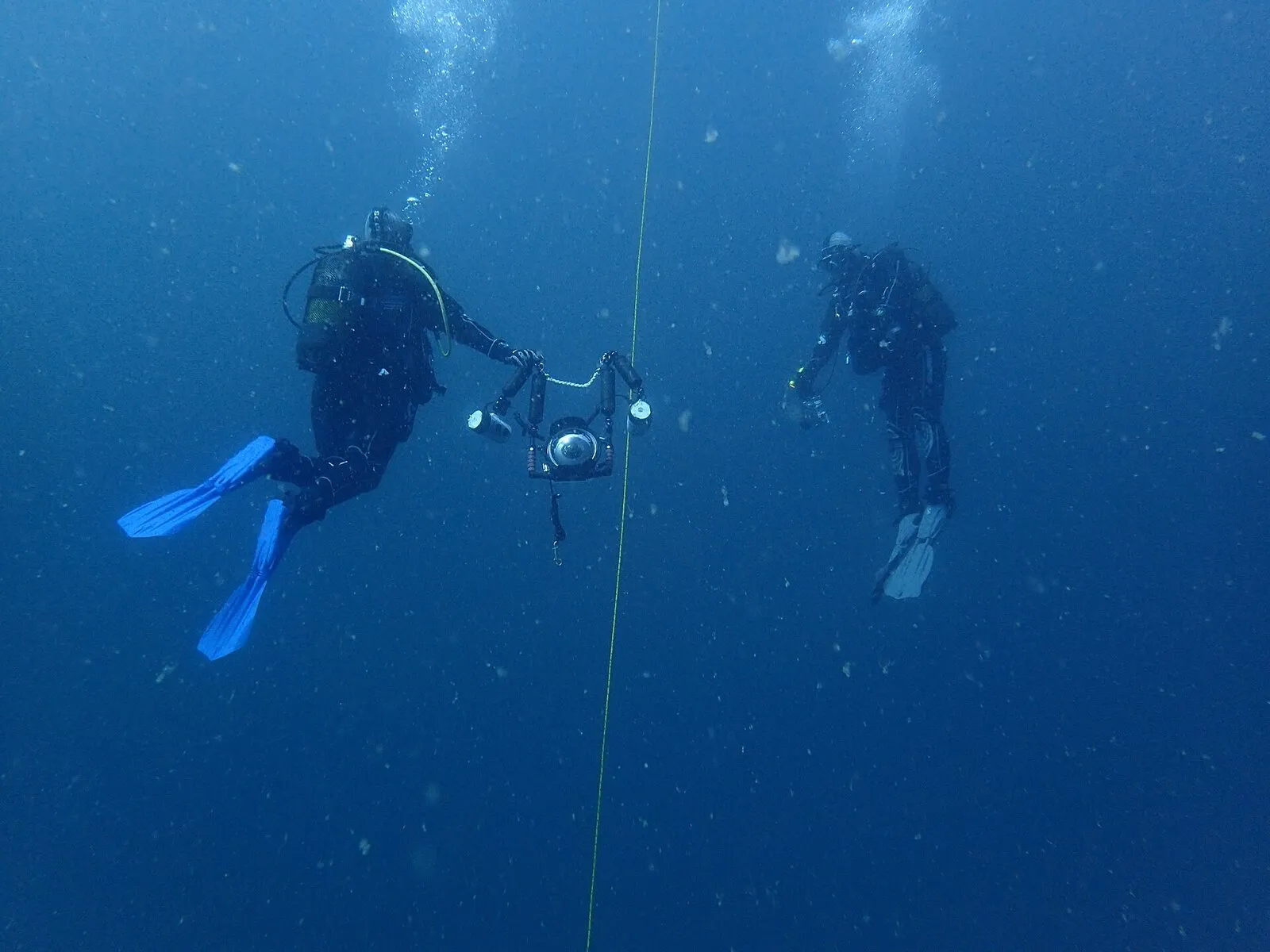
After a long break, review your settings and your battery before diving again: the checklist in returning to diving after a break: step-by-step plan takes this into account.
Also plan for the case where the computer is missing. DAN is blunt: a forgotten computer cannot take into account a dive it did not track. If you forget it at the start of a series, you are limited to the tables until the end of the series, provided you know how to calculate by hand the dive made without it. Otherwise, ask your instructor before diving again. And never hang it on a descent line during the surface interval to “make up” a dive: DAN points out that this is not a responsible practice.
Does the best dive computer exist?
No, not for everyone. Three reasons:
- The model does not describe you. DAN repeats it: computers calculate for an average diver. A “better” device for one person may be too permissive for another.
- Everything depends on what you dive. A diver who makes ten dives a year in warm seas does not have the needs of a liveaboard diver or of someone diving in cold water.
- A ranking has an author. A shop ranks what it sells, and an affiliate link earns a commission. Check who is writing before you believe a score.
We therefore publish neither a podium nor a score. We give you the criteria, the manufacturers’ data sheets and dated prices, which we read again at each update.
Further reading
PDF guide
Scuba Gear for Beginners: From €96, Bought in Stages
11-chapter PDF guide, 10 worksheets and a spreadsheet: after how many dives buying costs less than renting, item by item, with your own prices.
€19
See the guideFrequently asked questions
What is the best dive computer in 2026?
There is no best computer for everyone. DAN points out that decompression models describe an average diver, not you, and that there is no common standard between algorithms. The right device is the one you can read with your mask on, that you know how to set, and that resembles your buddies'. Read shop rankings knowing that shops sell what they rank.
Which dive computer for a beginner?
A readable model, simple to use and compatible with nitrox: SSI advises favouring intuitive menus and clear displays. First ask your centre what it provides during the course, then your instructor's opinion. On 7 November 2026, the two entry-level models in our table cost €189 (Mares Puck Lite) and €199 (Cressi Donatello) at Subchandlers.
Which dive computer for Level 2?
The same reasoning as at Level 1, with two extra points. Check that the maximum depth stated by the manufacturer clearly exceeds that of your certification, and that the device handles nitrox, if you plan to dive with it. Nitrox is learned in a speciality course, and its settings are worked out with an instructor.
Which Garmin for diving?
Garmin sorts its computers into two families: the watch format (Descent G2, Descent Mk3) and the large format (Descent X30, and the touchscreen X50i). According to its guide of 13 July 2026 and the G2 product page, the G2 goes down to 100 m, the Mk3 and the X50i to 200 m, and the fēnix 8, tactix 8 and quatix 8 watches to 40 m. This is not a brand recommendation.
Is a dive computer compulsory?
In France, in establishments that organise diving, the Sports Code (article A322-80) requires in natural waters, for each autonomous diver and each supervised diver beyond 20 m, equipment allowing them to monitor their dive and their ascent. The text does not name the computer. A club, centre or operator may however require one: this is the case on the Manta Queen 1 liveaboard of Khao Lak Scuba Adventures, in Thailand.
Can you buy a second-hand dive computer?
Yes, provided you know what you are buying. Identify the exact model and download its manual from the manufacturer. Check the battery type: some can be changed by yourself, others only at an approved service centre, as on the Shearwater Peregrine. Also check that the firmware can be updated. If in doubt about the condition of the case, have the device checked at an approved service centre.
Sources
- DAN, Medical reference books: Decompression Illness, chapter 2, Effective use of the dive computer (no date shown on the page, French-language page), accessed
- PADI, Dive computer: description, basic and optional features, how to choose, maintenance (undated page, © PADI 2026, French-language page), accessed
- SSI blog: Dive Master Diving Computers, your guide to safer diving (machine-translated, undated, French-language page), accessed
- PADI, Enriched Air Diver speciality course: official page, accessed
- French Sports Code, articles A322-71 to A322-101 (establishments organising diving), including A322-78 and A322-80 (version in force since 1 April 2012), Légifrance (in French), accessed
- Garmin, blog: How to choose your Garmin dive computer? (13 July 2026; depths and target audience of each model, French-language page), accessed
- Garmin, Descent G2 product page: specifications (French-language page), accessed
- Garmin, Descent X30 product page: specifications (French-language page), accessed
- Garmin, Descent X30 owner's manual (PDF, presentation of the device: four buttons, French-language version), accessed
- Mares, Puck Lite product page (algorithm, nitrox, CR 2450 battery), accessed
- Mares, Quad Ci product page (technical specifications, battery life), accessed
- Shearwater, Peregrine product page (technical specifications and frequently asked questions), accessed
- Suunto, Suunto Ocean product page (algorithm, depth, battery life), accessed
- Cressi, official shop: Donatello large-screen computer (specifications, French-language page), accessed
- Price survey: Subchandlers (Ramonville-Saint-Agne), dive computers section, page 1 (in French), accessed
- Khao Lak Scuba Adventures, Manta Queen 1 liveaboard: rules and equipment rental, accessed